Starfish Student Resources

Starfish is a UW–Madison tool that helps students connect with advisors and other student support professionals. With Starfish, you can build a personalized network of helpful people and resources with your “My Success Network.”
Starfish is only available for active UW–Madison students. If you are newly admitted to the university you will not be able to use Starfish for online scheduling until you have been made eligible to enroll in classes. Before you are eligible to enroll, you can reach out to the office or individual you would like to make an appointment with via website, email, or phone.
Frequently Asked Questions
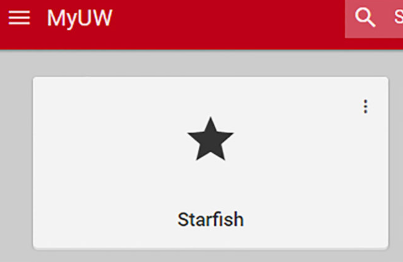
You can access Starfish from your MyUW dashboard. To add the Starfish app:
- Login to MyUW
- Search for Starfish
- Click Add to home for easy access
- Launch the app and start exploring!
To schedule an appointment with an advisor in Starfish:
- Login to Starfish
- Click the navigation button in the top left corner and choose My Success Network
- Type the name of the service you’re looking for in the search box. When you find a staff member or service profile with appointment availability, a blue button will appear that says “Schedule Appointment.”
- Select “Schedule Appointment” and choose the reason for making an appointment
- Select the date/time you want and then choose Continue.
- Double check the person, time, date, and location of your meeting.
- Add in any notes you want to share.
- Click Confirm
You should receive an email confirmation with your appointment details. The appointment will also be listed in your “Upcoming” section in the navigation menu.
If you can’t find a person or service unit, or it looks like they don’t have a way to schedule via Starfish, please contact their office directly or follow their scheduling instructions.
In Starfish you have a page called My Success Network. This is your personalized dashboard that will list helpful UW people (like advisors, student services professionals, etc.) and resources so you can find them faster and schedule appointments more easily.
Your assigned advisor(s) are listed under the “Your Connections” section. Any services that they are a part of should be listed under the “Your Services” section. If you can’t find a person or service, or it looks like they don’t have a way to schedule, please contact their office or follow their scheduling instructions.
Your assigned advisor(s) might be incorrect or missing for the following reasons:
- You still need to officially un-declare an old major or certificate
- You need to officially declare a new major or certificate.
- You haven’t yet attended SOAR (Student Orientation, Advising, & Registration). If you have attended SOAR, your assigned advisor(s) will be available in Starfish by the first day of class.
- If you have no assigned advisor(s), please contact Cross-College Advising Service for assistance.
To declare or un-declare a major, please contact the relevant academic department directly. For contact information please see Guide.
For additional questions or issues with logging in, please email starfish.oacs@wisc.edu.